Tabbyfin

Version 0.3: early days

A native desktop client for Jellyfin.

Tabbyfin browses your Jellyfin server and plays video inside its own window with mpv. Built in Rust with egui; on Linux and Windows the app draws its frames straight from the GPU, without copying them through the CPU.

Free and open source, GPL-3.0-or-later.

  • Linux
  • Windows
  • macOS

Needs Jellyfin 10.11 or newer; developed against 12.x.

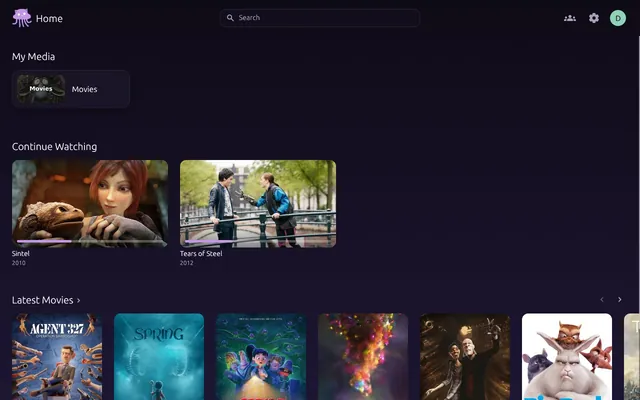
Tabbyfin's Home: Continue Watching, the Latest shelves, and your libraries along the top.

The real app, dark theme. Pick a screen, or use the arrow keys. Films: Blender Studio's open movies (CC BY), with posters and metadata from TMDb.

What it does, screen by screen

Each part of the app beside the screen it lives on. Everything here is in the current release.

Home

Pick up where you left off

Continue Watching, Next Up and Latest, with your libraries along the top. Favorites get their own shelf.

  • Several servers and users stay signed in side by side.Switch from the menu under your name, or pick one on the sign-in screen.
  • Keyboard navigation.The arrow keys move a highlight over the cards, Tab and Shift+Tab jump between rows, Enter opens, Esc or Backspace goes back, and Ctrl+F (⌘F on macOS) searches.
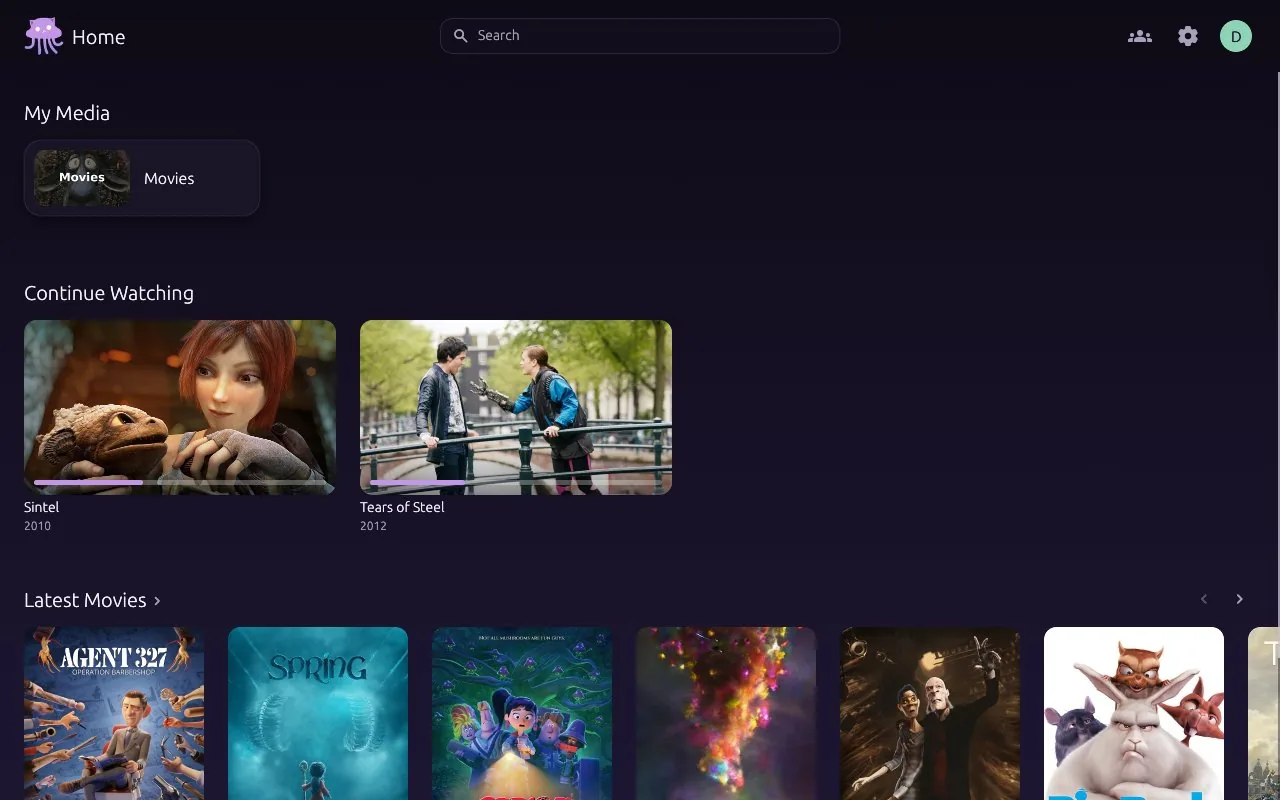
Home: Continue Watching with two films part-watched, the Latest Movies shelf, and the Movies library along the top.
Home: Continue Watching, the Latest shelves, and your libraries along the top.

Library

Sort, filter, and jump to a letter

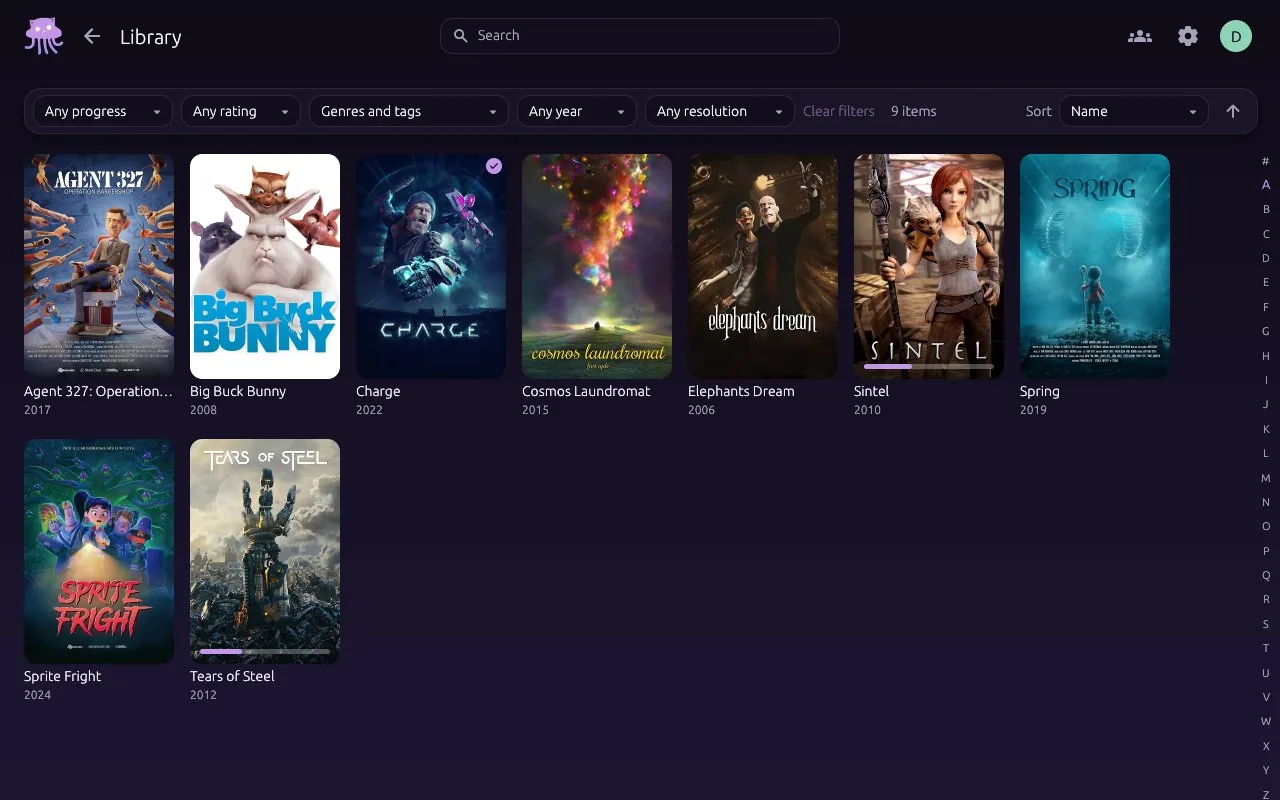
Library grids with filters for progress, rating, genres and tags, year and resolution. The sort and filters are remembered per library.

  • In a library sorted by name, typing a letter jumps to it.Or use the letter bar down the side.
  • Browse by cast and crew.
  • Collections and playlists, with Play all and Shuffle.
  • Mark items as watched or as favorites.
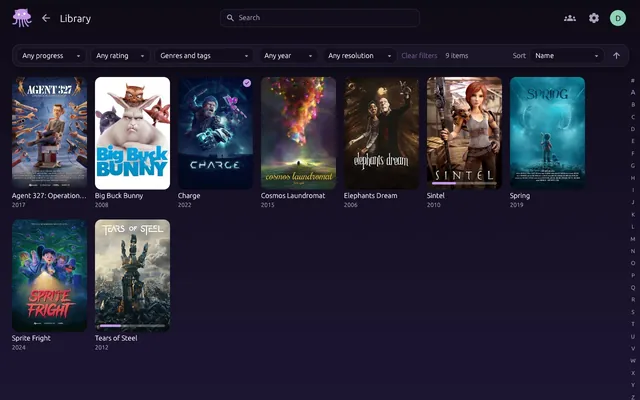
A library of nine films as a poster grid, with the filter and sort bar above it and the letter bar at the right.
A library grid, with its filters and sort.

Item

Every film and episode has its page

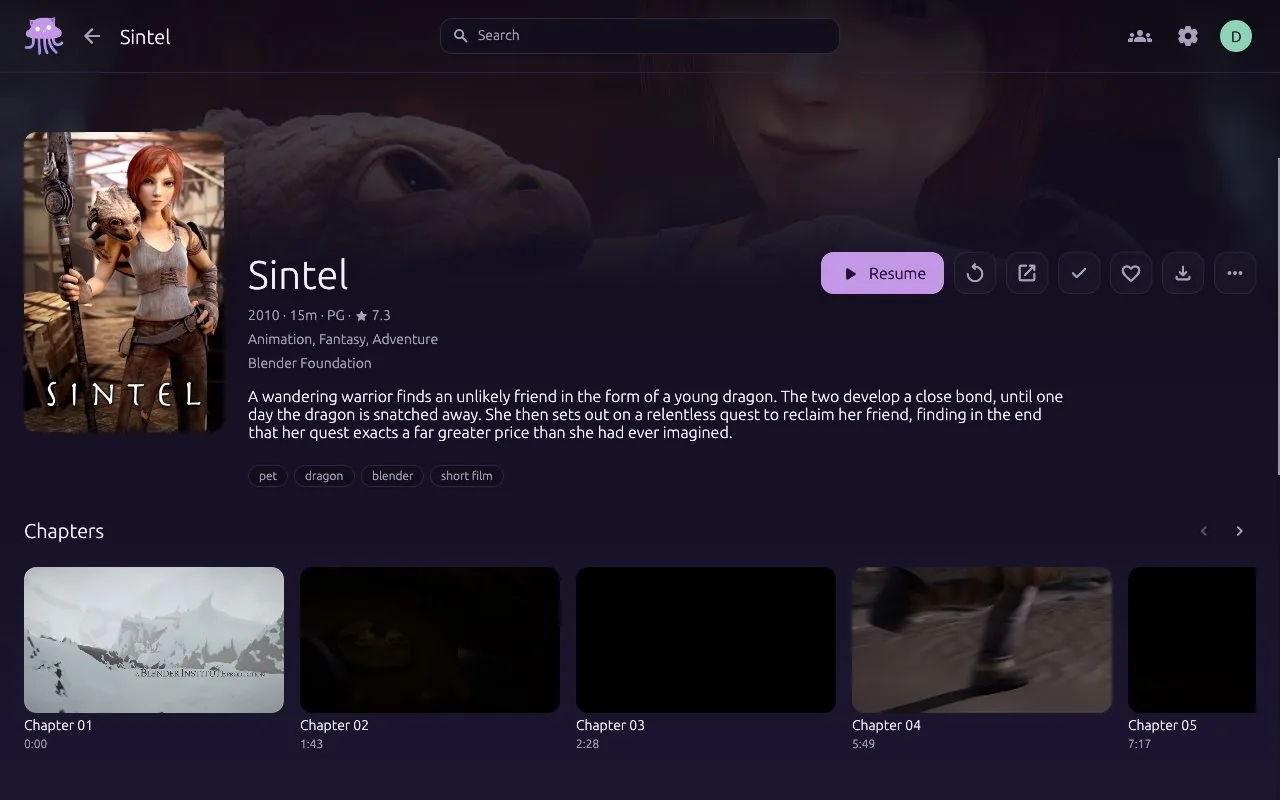
Movie, series, season and episode pages, with the poster, the actions, and the chapters.

  • Resume, start over, mark watched, add to favorites.
  • Download the original file and play it from disk.An offline mode keeps what you downloaded watchable without the server.
  • Search across the server from the top bar.
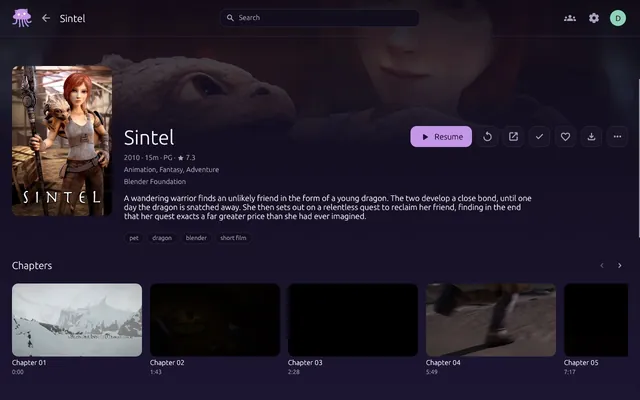
The page for the film Sintel: poster, year and genres, the Resume button with its actions, the overview, tags and a row of chapters.
A movie's page: poster, actions and chapters.

Player

Video plays inside the window

Direct play of nearly anything mpv can decode. Above a bitrate you set, or when your server requires it, the server transcodes instead.

  • Hardware decoding.On Windows, frames go from the decoder to the screen without a copy.
  • Audio, subtitle and version pickers, including external subtitles from Jellyfin.
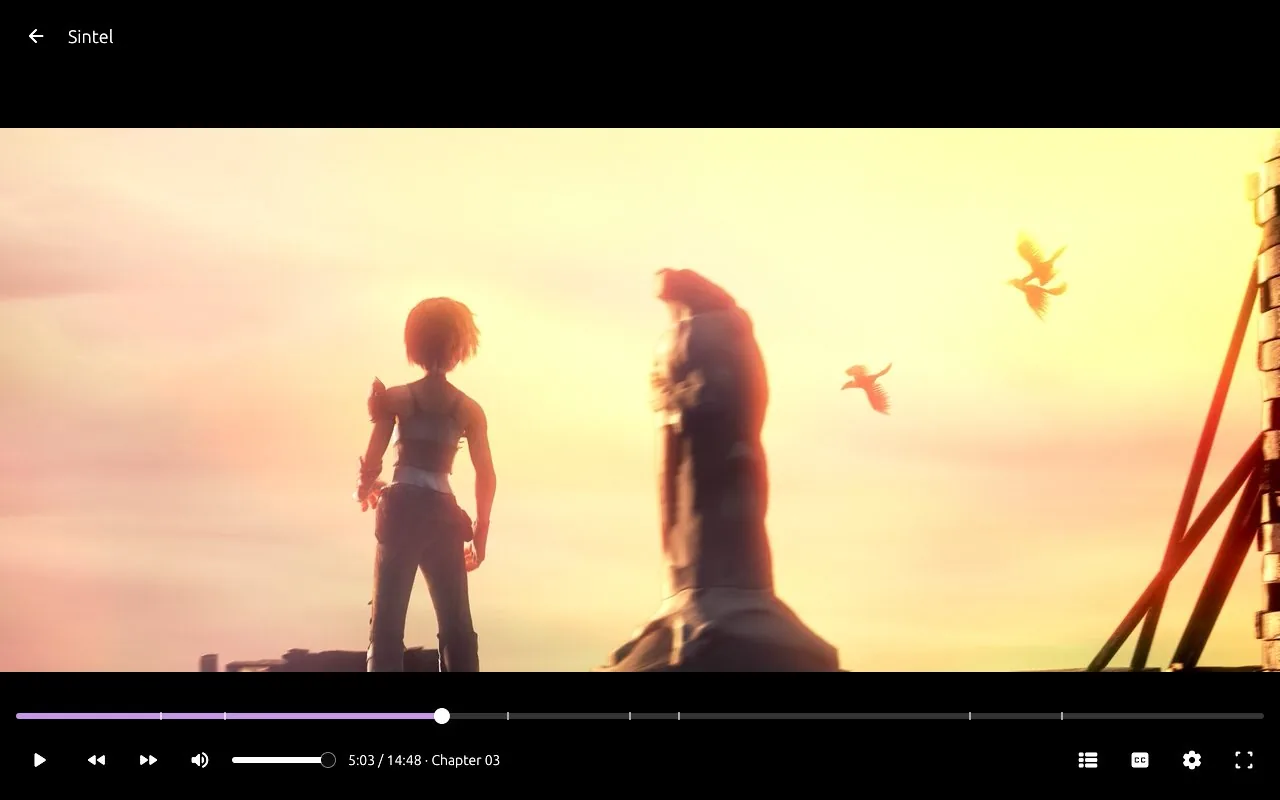
  • Chapters marked on the seek bar, trickplay thumbnails over it, and the time under the mouse.
  • Skip intro, recap and similar.From the server's media segments (with a segment plugin such as Intro Skipper) or from chapter names like "Intro", "Opening" or "OP".
  • An up-next card that plays the next episode at the end (or not: it's a setting).
  • Playback speed, subtitle and audio delay, and subtitle size.
  • Resume points and watched state stay in sync with the server, including changes made on other devices.
  • Your own mpv configuration, scripts and key bindings are never loaded.So they can't change how the embedded player looks.
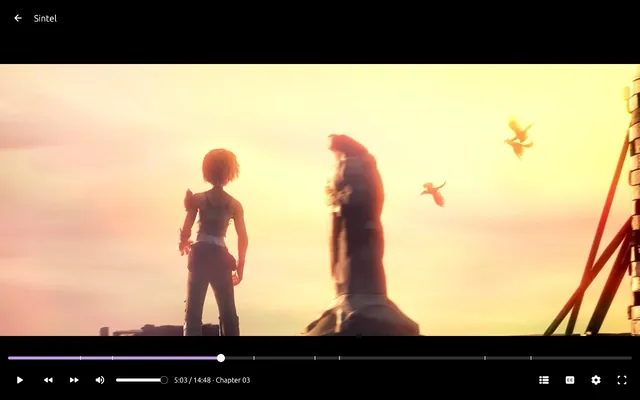
Sintel paused in the player: the seek bar with chapter marks, play, seek and volume controls, and the chapter, subtitle, settings and fullscreen buttons.
The player paused, its controls over the video.

Player keys

SpacePlay/pause
← →Seek 10 s
↑ ↓Volume
MMute
Shift+N / Shift+PNext / previous episode (or movie of the collection)
PgUp PgDnPrevious / next chapter
Enter or SSkip the intro, play the next episode from the up-next card, or start over after an automatic resume
[ ]Slower / faster
Z / XSubtitle delay −0.1 s / +0.1 s
FFullscreen
EscLeave fullscreen, then dismiss the up-next card, then leave the player

What plays, and how

mpv decodes and draws, in a player process of its own. The app imports the frames mpv draws into its own wgpu device, so on Linux and Windows the picture reaches the window without a copy through the CPU. On Windows with ANGLE the decoder's frames stay on the GPU too (the WGL fallback copies them back); on Linux, VA-API's are copied back before mpv draws them. On macOS the video is drawn in software: mpv renders pixels and the app uploads them.

A frame's path from mpv to the window, on Windows, Linux and macOS Four stages per system: mpv decodes, mpv draws, a handover, the window. On Windows and Linux, drawing, handover and display stay on the GPU; decoding does too on Windows with ANGLE, while Linux copies VA-API frames back before drawing. On macOS, pixels go through memory and the CPU.player host process (libmpv)handoverthe appWindowson the GPUmpv decodesd3d11va: stays on the GPU(copied back with WGL)mpv draws, OpenGLANGLE (WGL as fallback),into a ring of 3 texturesD3D11 textureshared by NT handleWindow (DX12)wgpu imports it onceLinuxon the GPUmpv decodesVA-API: frames are copiedback before drawingmpv draws, OpenGLEGL, on the window's GPU,into a ring of 3 imagesVulkan memoryexported as an fdWindow (Vulkan)wgpu imports it oncemacOSthrough the CPUmpv decodesframes back in RAMmpv renders pixelssoftware renderer, RGBAcopyPixels in memorythe CPU hands them oncopyWindow (Metal)wgpu write_texture

Windows

mpv decodeshost processd3d11va: stays on the GPU(copied back with WGL)mpv draws, OpenGLhost processANGLE (WGL as fallback),into a ring of 3 texturesD3D11 texturehandovershared by NT handleWindow (DX12)the appwgpu imports it once

Linux

mpv decodeshost processVA-API: frames are copiedback before drawingmpv draws, OpenGLhost processEGL, on the window's GPU,into a ring of 3 imagesVulkan memoryhandoverexported as an fdWindow (Vulkan)the appwgpu imports it once

macOS

mpv decodeshost processframes back in RAMmpv renders pixelshost processsoftware renderer, RGBAcopyPixels in memoryhandoverthe CPU hands them oncopyWindow (Metal)the appwgpu write_texture
  • stays on the GPU
  • copied through the CPU

Settings

Settings for this device, and for the server

What belongs to this computer is kept here; what belongs to your account stays on the Jellyfin server.

  • Light and dark themes, or follow the system; text size and zoom.
  • The interface in English, European Portuguese and Spanish.
  • A notice when a new release is out.
  • Logs in a daily file.Settings → Logs → Open log folder opens it; attach the log to bug reports.
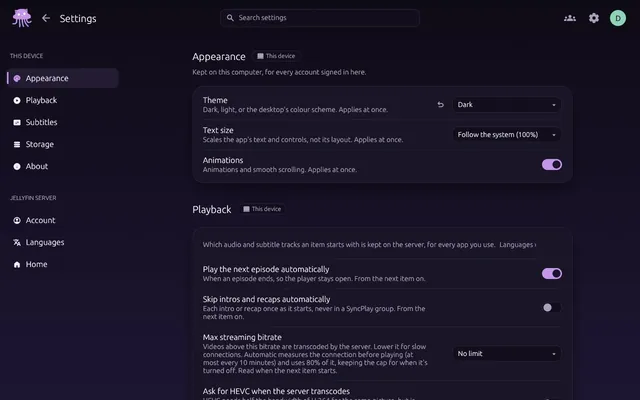
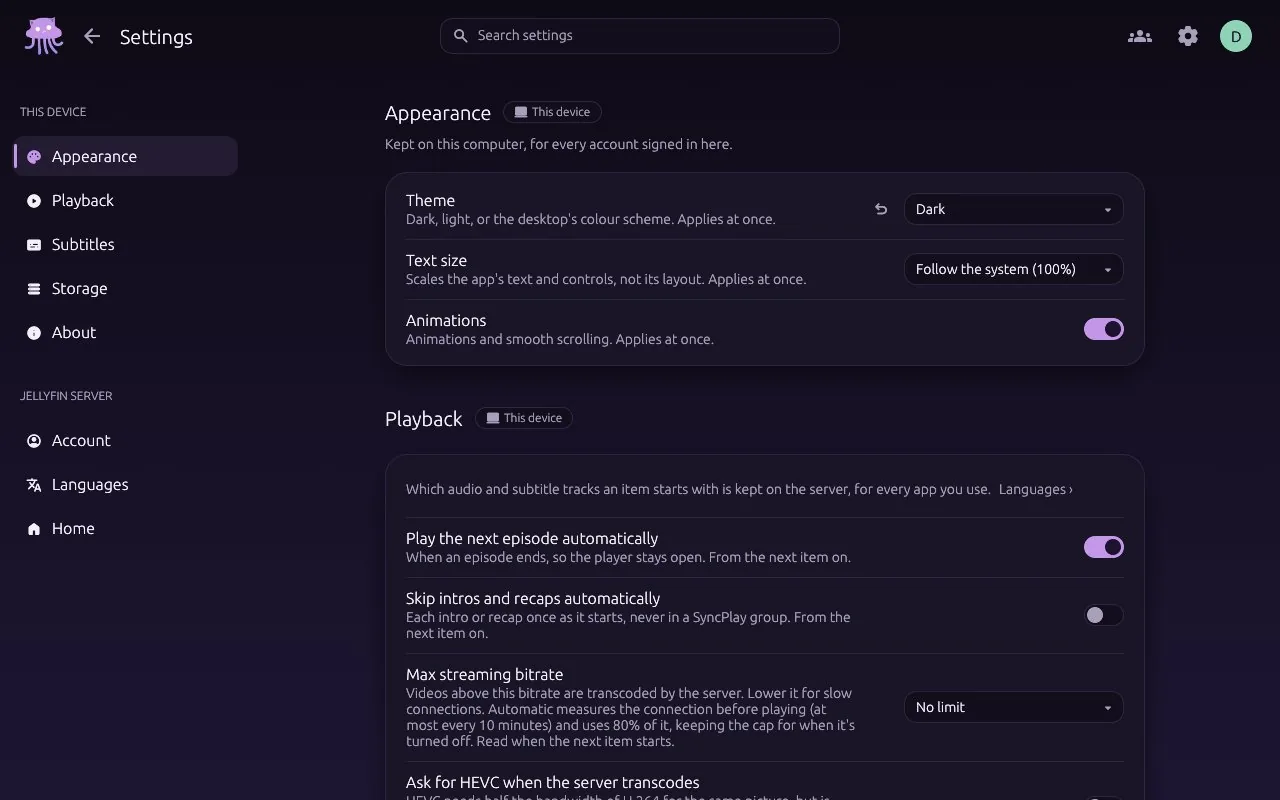
Settings: sections for this device (Appearance, Playback, Subtitles, Storage, About) and for the Jellyfin server (Account, Languages, Home), with the Appearance and Playback options open.
Settings, for this device and for the server.

Remote control

From the Jellyfin web dashboard or a phone app: play items here, pause, seek, skip to the next item, change the volume and tracks, or send a message.

Watch together

With Jellyfin's SyncPlay: create or join a group from the top bar, and play, pause and seek in sync with the other members.

Download

Version 0.3, for x86_64 Linux and Windows and for macOS 12 or newer. You need a Jellyfin server, 10.11 or newer.

Linux

Your system

x86_64, as a package for Debian and Ubuntu, an AppImage, a Flatpak bundle or a tarball.

  • .deb: sudo apt install ./tabbyfin_*_amd64.deb pulls in libmpv2, Vulkan and the windowing libraries.
  • AppImage: chmod +x it and run it. libmpv is included. Needs a Vulkan driver, the desktop's usual windowing libraries (xkbcommon, Wayland or X11) and a 2022 or newer distribution (glibc 2.35: Ubuntu 22.04, Debian 12, Fedora 36, Linux Mint 21…). Without FUSE, run it with --appimage-extract-and-run.
  • Flatpak: flatpak install --user tabbyfin-*.flatpak (it fetches the freedesktop runtime from Flathub), then start it from the menu or with flatpak run io.github.lgpy.tabbyfin. mpv is included.
  • Tarball: needs libmpv (libmpv.so.2), a Vulkan driver and the desktop's usual windowing libraries installed.

The first launch may ask a question

Windows: the build isn't code-signed, so SmartScreen may ask before it runs.

macOS: the app is ad-hoc signed, not notarised. Right-click it and choose Open the first time.

Early days

Tabbyfin is at version 0.3, and some things are still missing; the roadmap lists them.

In the works: Android phones and tablets (an APK is attached to releases), and Chromecast.

Build from source

With mise, which installs the pinned Rust toolchain and tools:

mise install
mise run run

Plain cargo run works too. The README lists the system libraries for each OS.